Home Top Ad

Responsive Ads Here

Boxed(True/False)

Theme images by Storman. Powered by Blogger.

Featured Post

How to Disable Windows Update Permentaly ?

In the IT-industries there Windows is the very popular operating systems (OS) , and still windows has the maximum share holder in the ...

Search This Blog

Pages

Saturday, September 22, 2018

How to Install Any Windows driver 100% working

- No comments
In our computer industry , Many Peoples are facing sucg problems and one of the major problems are Driver installtion , peoples dont know that which driver is supported my pc or laptops , so i will tell you the easiest way for how to install your drivers without worrying your hardware compatibles
so lets start the process step by step ....

Step 1:- 

First of all  go to the  DRP  (Driver pack solution ) website and download the software update which is install the driver by automatic in your PC / laptop by using internet.





Method 2 :-

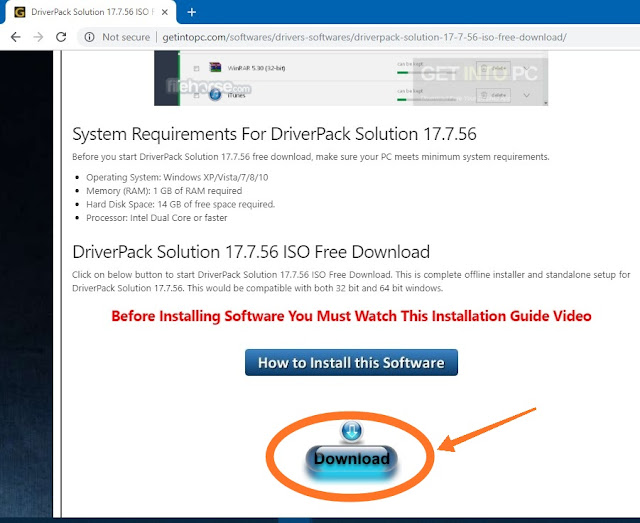
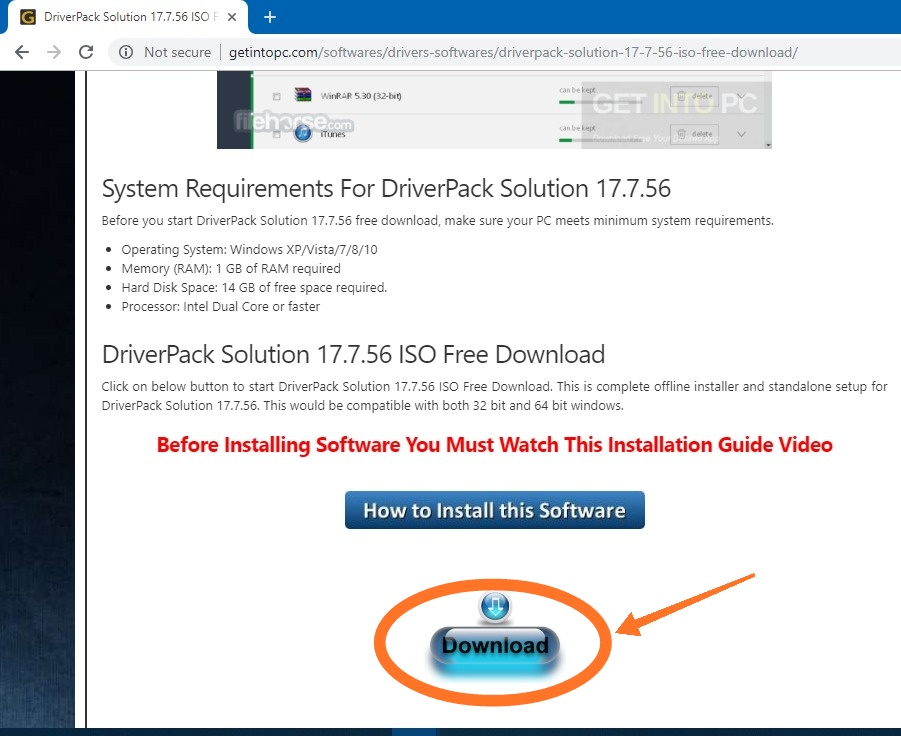
and the second method is download the Full DRP software to this website which is Getintopc .


then scroll down the page and click on the download button & follow these steps ..!!!


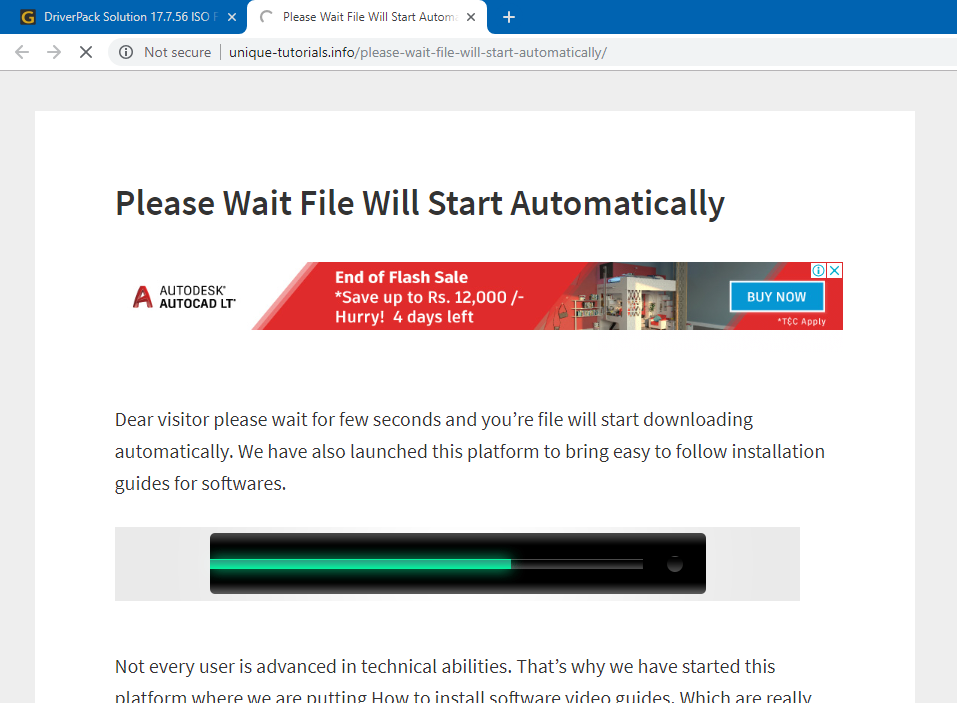
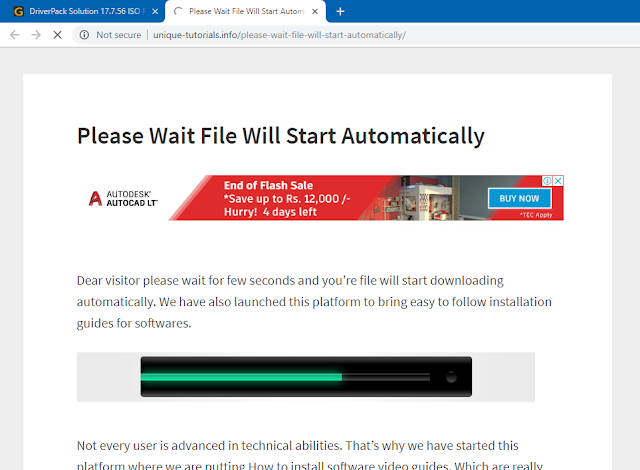
After that download pop up will appear , download this 13.92 GB file and then open the software and install your missing drivers!!!!!


What is Cloud Computing ?

- No comments


Cloud Computing:-  

Today , The cloud computing  is more trending Technology and it is still growing and booming in the Tech-giant Industry , so what is cloud coputing  it is not only the Storage format but also it provides the many services that can help you to make your business growth on the high level  , cloud computing gives you the storage as a service , Platform as a service , Infrastructure as a service and many more etc. There are many Cloud Providers who gives their many services but the top 3 cloud vendors are :-

1. AWS (Amazon Web services)


2. Microsoft Azure


3. GCP (Google Cloud Platform)


Why We Use ?       

So ,   after talking that cloud computing the next things is why we use cloud and the simpply answer is 

1. It is cheap

2. It saves lots of effort by creating our own sever

3. We will pay only for the time of uses

4. It is portable , and Scalable

5. It provides unlimited storage

6. It  provides security and many more.


Friday, September 21, 2018

How to download You-Tube Videos without IDM (Internet Download Manager)

- 2 comments
There are many ways to download the you tube Videos, Like IDM (Internet Download Manager)
and some other software , but i will show you the Best and easy method to download You-tube Videos ,  and it is working 100% , There are 2 Methods  so without wasting our time Lets start the Processs  Step byStep


First Method :-

Step 1:-


Go to the savefrom website  and paste the you tube video link and After that download the videos of your Quality size.


Method 2:-


Step 1:-

Go to the  Snaptube website and simplly Download the Apk file and install it.


After installing the Apk file open the app and select the you tube videos and press download button and the option will pop out to select your Video quality and download it of your choise.


I hope that you like this method that is very easy ...!!


Thursday, September 20, 2018

How to Root your Android phone 100% working!

- No comments
So, some people want to enhance and unlocks the system full features in the Android phones , then they tries the so many techniques in the android phone by installing the bad third party apps , but some apps did'nt work but Dont worry here i find an fantastic app that enrich you the most Root the phone by KINGO- ROOT.

Step 1:-

Go to the that Website and simply click Download button and install them.


STEP 2:-

By Downloading the APK ,simpply install them and start the root process .........


Then Finally your phone is rooted .


How to Bootable your Pen-drive to install any OS

- No comments
So, There are so many tools , and software to bootable your pen-drive ,but the the best software is Rufus   Because it will handles and tackeles the so many problems like UEFI , secure mode , GPT Disk  error , etc. it has the features to auto-detect the BIOS - UEFI . so lets start the download and installtion Process..!!


Step 1:- 

 Go to the Rufus website and simpply Download the Rufus Software.


Step 2:-


After  Downloading the Rufus software , simpply install the Software and insert the pen-drive 
after that select the OS from select button and Start the booting Process..!!


NOW FINNALY  DONE!!!...

How to activate your Windows and Office

- No comments
In Our Internet and computer world there are so many  key and License factor are there  when the people buy a Laptop or Pc the store dealer install the microsoft windows to thier Laptop or pc
but it depends on the peoples who have lots of amount of money they will buy a original windows like latest version , windows 10 and they cannot face any problems , but problem faces to the middle class people who didn't afforrd the money to buy a geniune or original windows then they will install only duplicate windows and after that they will faces the License key problem .

In india 90 % people uses the piracy or duplicate Windows and faces such major problems ,but dont worry there is a solution of how to activate your windows like windows 7 , 8 , 10  and also the microsoft Office suite . so there so many activators are there but , some some activator are not working , so i tell you the best method to activate your windows and office by using KM-spico.


Step 1:-

Go to the that url  which is given in above and scroll down the page 


Step 2:-

then download the kmspico and it will take you the next page


After the downloading that software you can simpply install that and your pc and office are activated...... ! Enjoy !  ............Have a nice day..........!!!!

How to download Play store app without Android mobile ?

- No comments
IN our day to day life some people faces the old mobiles phones problem , so that they cannot dowload the app via play-store because of internal storage problems , but acctually dont worry  there is the solution which you can download the android app through the website here---> Apk Downloader  go to that website and download the android apps or games what ever you want.

step1:-

go to the play store  and  select the app or any game that you want to download 
and copy that address .


Step 2:-

 After that  open the  APK downloader page  from here. --> APK Downloader

and paste that code which is copy from  the playstore  .


Step 3:-

After that click the generate button .


Step 4:-

Now click download button to download your game .


I hope you will enjoy this article ! Have a  nice day.

Saturday, September 15, 2018

How to Install Wordpress ?

- 1 comment


Today of our Generation is changing and the Technologies are booming in the Tech Industries
But there are few peoples who were intrested in  the Coding its means Programming knowledge  like
C ,C++ , Java , but in the Web-developing there are lots of web-technologies  are there like HTML, CSS , Java-script , Php , .Net etc ...

But dont Worry , you do not have to learn these Web-technologies because , Wordpress does not need any Coding stuff , you can create the beautiful website in the wordpress , it is easy to learn , easy to use and there are so may various plugins are there to enhance the websites , so lets us start how to install the wordpress.

Step :- 1 

Go to wordpress link --->https://wordpress.org/  and download the wordpress .


step 2:-

Then   after that download the zip from here and extract that .


step 3:- 

After extracting the wordpress zip folder , there is the wordpres folder generated copy that folder and paste it into the xampp folder in the htdocs , you will get the xammp in this link here


Step 4:-

GO  to the C: Drive and xaamp folder and enter to that folder 


Step 5:-

After that  go to Htdocs folder and simply paste the wordpress folder in it.


Step 6:-

After that  open  xammp software and Start the Apache , and Mysql server service ....!


Step 7:-

Then Go to your any browser and simply write the localhost, and click the PHPmyadmin Panel .


Then Create the database which name is Wordpress.


After that We move to wordpress installation by going localhost/wordpress  then press enter


After Installation Process You will be Redirected to the Wordpress Dashboard  Panel.


I hope that you will understand and have a good day..!!